MediCab app icon MediCab · Coming soon

Your medicine cabinet
in order.

MediCab keeps track of the medicines you have at home — what is there, when it expires and when to take it. Expiry dates, reminders and dose schedules, all on your phone.

Coming soon Android now · iOS later English · Nederlands · Français
What it is

The cabinet at home, on your phone

MediCab is a personal medication-management app. List the medicines you keep at home, see at a glance what has expired or is about to, and get a nudge before it happens. It works without an account and without an internet connection.

Know what expires

Every medicine with its month and year of expiry, sorted into expired, expiring soon and OK — so the old box at the back of the drawer does not surprise you.

A nudge at the right time

A reminder 14 days before something expires, and reminders at each dose time for the schedules you set up yourself.

Stays on your phone

Your cabinet is kept on the device by default. Cloud sync is a Premium option, and only with your explicit consent. See the privacy policy.

Please read — not a medical device

How MediCab behaves, stated plainly

MediCab gives no medical advice, diagnosis or treatment. It does not evaluate safety, interactions or suitability. Always read the label and ask a pharmacist or doctor.

Symptom search is a literal match on your own labels. It only finds medicines you tagged yourself, and it never suggests or recommends anything. The app says so on screen.

You check what the scan finds. Box scanning only suggests an expiry date, name, dosage and tablet count; nothing is saved until you confirm it. Reminders can be delayed or blocked by your phone's battery and notification settings, so do not rely on them alone.

MediCab is not released yet. This page describes what the app does so far; the screenshots are real captures from the app, with its interface in Dutch (it is also available in English and French).

01 · Cabinet

Everything at home, and when it expires

Add a medicine with its type, form, dosage and expiry date, and it joins your cabinet — free, with no account and fully offline.
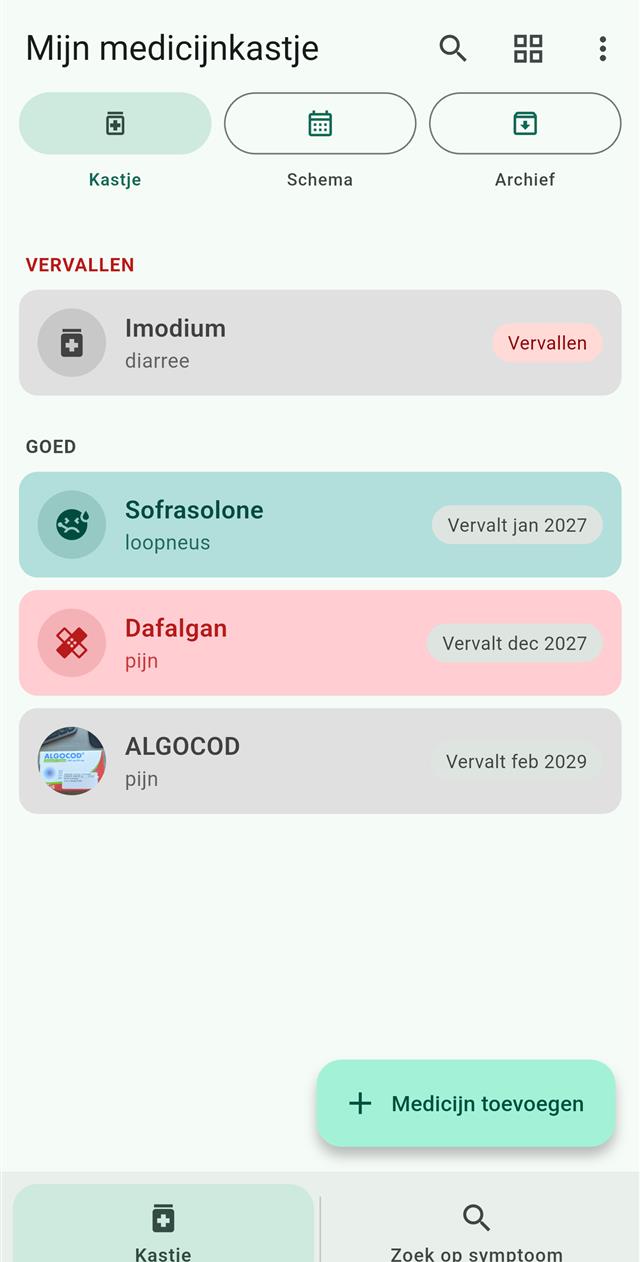
  • Expiry dates as month and year, grouped into expired, expiring soon and OK
  • A reminder notification 14 days before a medicine expires
  • Your own notes and up to three photos per medicine
  • Back up your cabinet to a file and restore it later
  • Available in English, Dutch and French
MediCab's cabinet list: medicines grouped as expired and OK, each with a coloured card, a symptom label and an expiry chip, plus an Add medicine button.
The cabinet — expired first, then the rest (Dutch interface).
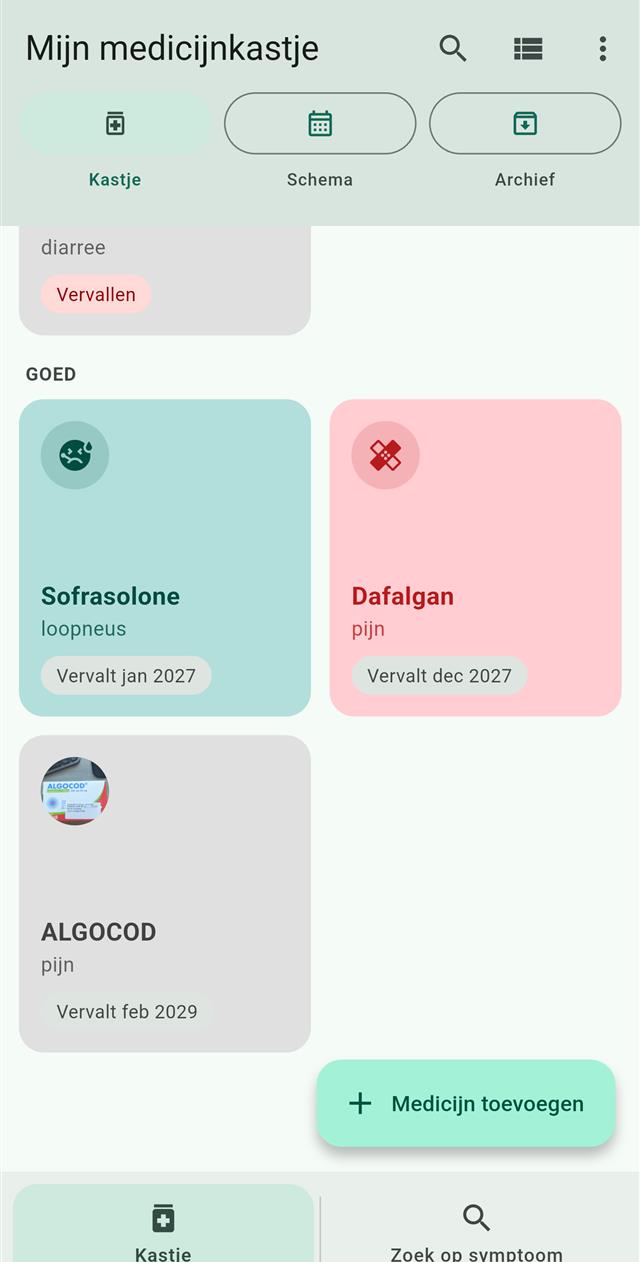
The same MediCab cabinet shown as a grid of tiles, each with its name, symptom label and expiry chip.
The same cabinet as a grid of tiles.
Works offlineThe core features need no account and no internet connection.
Your backup, your fileThe backup file is created on your phone and goes wherever you choose to save or share it.
02 · Scan the box

Point at the box, check the result

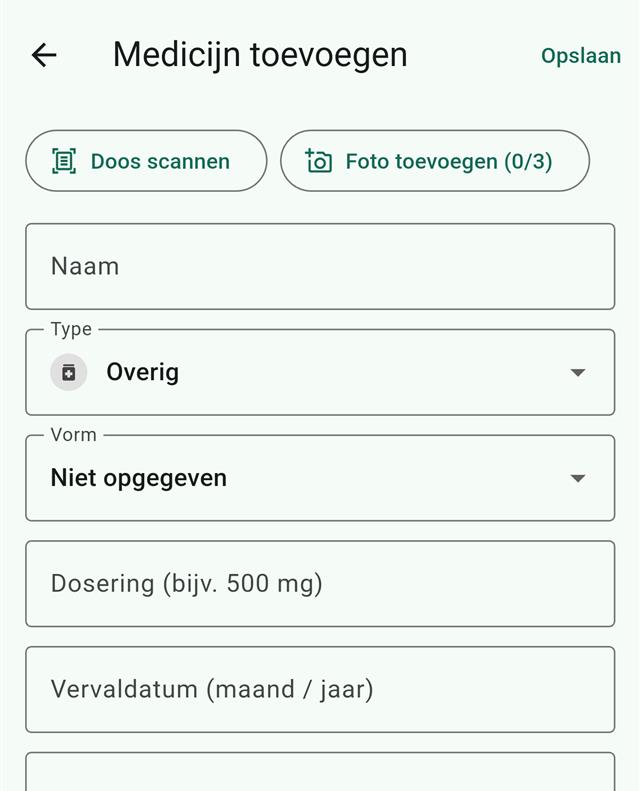
Instead of typing, scan the package. MediCab reads it on the phone and fills in what it can; you review everything before it is saved.
  • Reads the expiry date from the code on the package
  • Suggests the name, dosage and number of tablets from the printed text
  • Recognition runs on your phone — the photo is not sent anywhere for this
  • You always confirm the suggestion before it is saved
MediCab's add-medicine screen with a Scan box button, an add-photo button and fields for name, type, form, dosage and expiry date.
Add a medicine — scan the box or fill it in by hand (Dutch interface).
Shared product recognitionCodes you scan, with the name, dosage, form and pack size you entered, are shared anonymously — never linked to you or any ID — so boxes get recognised for everyone. It is on by default and you can switch it off at any time; nothing else from your cabinet is shared.
03 · Schedules

The right dose, at the right time

Set up a dose schedule for a medicine and get a reminder at every dose time — and keep count of what is left.
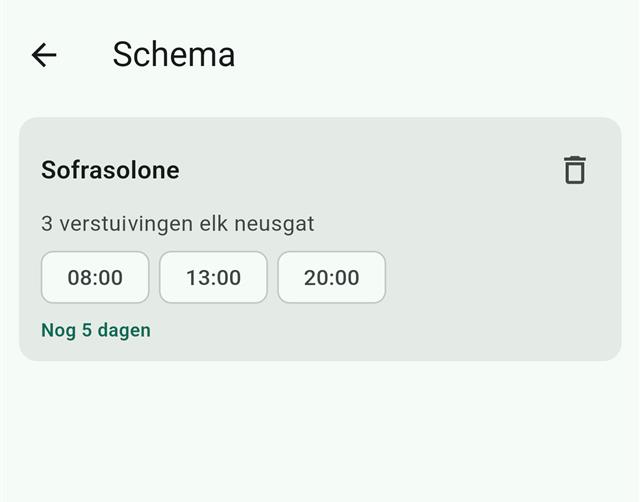
  • Dose schedules with a notification at each dose time
  • For tablets and capsules, the pill count goes down automatically
  • Reminders are re-scheduled after your phone restarts
MediCab's schedule screen: one dose schedule with three reminder times at 08:00, 13:00 and 20:00 and the number of days left.
A dose schedule — three reminder times and the days left (Dutch interface).
Reminders are not guaranteedBattery restrictions and notification permissions on your phone can delay or block them. MediCab is a helper, not a safety net.
04 · Symptom labels

Find it by what you tagged it with

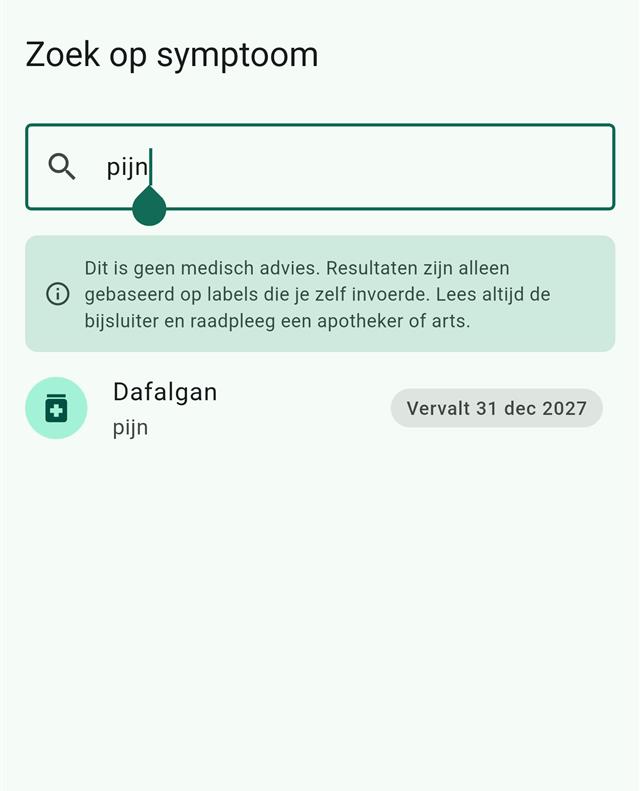
Add your own labels to a medicine — "headache", say — and search your cabinet by them later.
  • Matches the words you entered yourself, literally and not case-sensitive
  • Only shows medicines already in your own cabinet
  • Never suggests a medicine and never interprets a symptom
MediCab's symptom search for the label 'pijn', with a note that this is not medical advice and one matching medicine below it.
Search by your own label — with the not-medical-advice note on screen (Dutch interface).
Not medical adviceA result is not an instruction to take anything. The app tells you so, and so do we.
Free & Premium

Free to keep. Premium to sync.

The cabinet itself is free and needs no account. Premium adds ad-free use and cloud sync between your devices. Pricing will be shown in the store when MediCab launches.

Free
No account needed
supported by ads

Your cabinet with expiry dates and reminders, box scanning, dose schedules, symptom-label search, and backup and restore — all on your phone, fully offline.

MediCab Premium
Monthly subscription
needs an account · price set in the store

No ads, plus two-way cloud sync of your medicines, schedules and photos between your devices. Sync starts only after you give your explicit consent, and you can turn it off at any time.

The free version shows ads; in the EU/EEA, the UK and Switzerland your ad-consent choice is asked for before any ad loads, and you can change it in the app at any time. Your medicines and notes are never used for advertising. Details are in the MediCab privacy policy; to delete an account or data, see Delete your MediCab account.

Availability

Where it runs

MediCab comes to Android first, with iOS to follow. Neither is released yet, and we would rather say so than promise a date.

Android

A personal medicine cabinet for your Android phone, in English, Dutch and French.

Coming soon

iOS

Planned for later, after Android. There is no iOS version to install yet and we are not giving a date. Want to know when it is ready? Ask us — the address is in the footer — or watch our apps page.

Later